
Connections
 Connect Etsy
Connect your Etsy shop and configure shipping profiles and return policies.
Last updated 2026-05-24
In short
Before you start
You need an active Etsy seller account and at least one shipping profile already configured in Etsy. If you don't have one yet, set it up in Etsy first (Shop Manager → Settings → Shipping settings) and come back.
Step-by-step
Open Connect
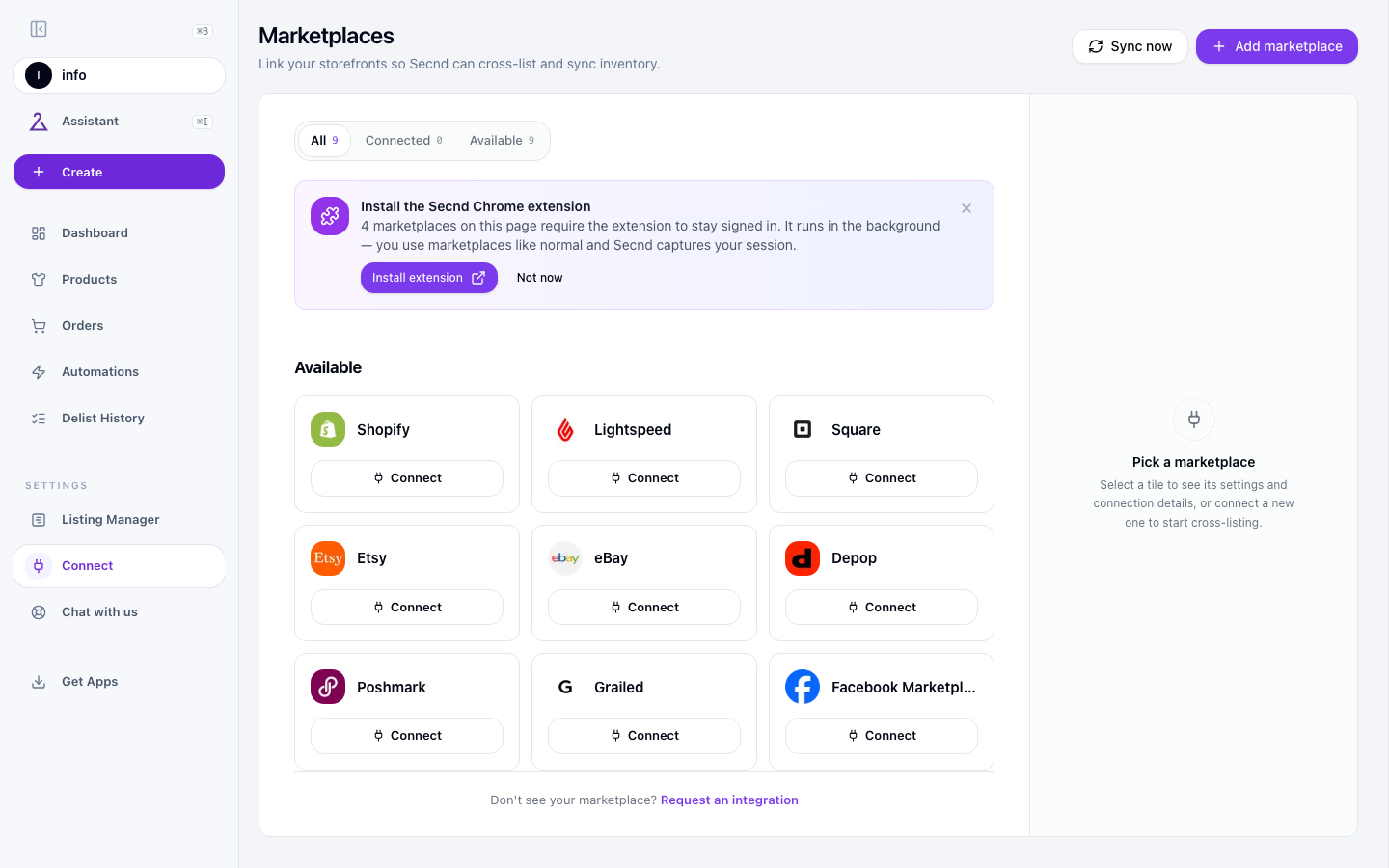
Click Connect on the Etsy card
Sign in and approve
Pick your defaults
Settings to configure
Open Etsy in Integrations. Its settings include the fields below.
Default Shipping Profile
The shipping profile Etsy attaches to every SECND-pushed listing (carrier, rate calculation, processing time, who pays). You build profiles in Etsy — Shop Manager → Settings → Shipping settings— and pick one here as your default.
Default Return Policy
The Etsy return policy SECND applies to new listings. SECND lists the policies you have in Etsy (Returns, Exchanges, deadline in days). Pick whichever matches your shop-wide policy.
Listing Renewal
Etsy listings expire after four months. Automatictells Etsy to re-list them on expiry (Etsy charges another 20¢ listing fee each time); Manual lets them expire so you decide whether to renew. Most shops with steady inventory pick Automatic.
Publish Status
Whether new listings publish immediately (Active) or stay as Draftsso you can review them in Etsy first. Drafts is the safer choice while you're still tuning content.
Common issues
Have a question that isn't answered here? .